
32K Cassette or 48K Disk
by Manny Miller
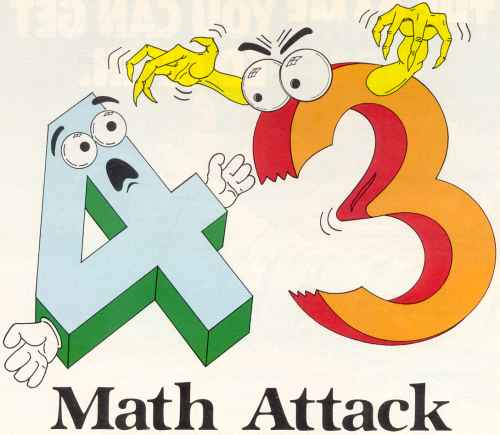
Math Attack is a fast-paced, joystick-operated mathematical game for one or two players. The game features randomly-generated problems in addition, subtraction and multiplication at four levels of difficulty. These various levels of play are also accompanied by several different playing speeds. All game conditions feature plentiful graphic and sound effects.
The game play consists of one or two graphic men standing on either side of the display screen. They are on a golden-colored platform and have three blocks above their heads. A randomly-generated problem is placed beside the men, and one of the digits of the answer is replaced by a randomly-generated digit, which can be changed by a joystick controller. In order to effect a change, the joystick must start in the neutral position, then may be moved to the up position for each digital increment.
While a player manipulates the joystick, a probe advances toward the player's man at a game-selectible speed. Whenever a player thinks he has chosen the correct digit for the answer, he should press his joystick's fire button. If the digit is correct, the player's man will shoot down the advancing probe, and a new probe will appear at the starting position. However, if the digit chosen is incorrect, or if the probe hits a block due to lack of response, the block is destroyed, and the probe continues from that position. If the probe should hit or fire a missile at a man, the man is disintegrated, and game participation is over for that player. The game continues until either the players are eliminated or ten problems have been generated for a player (ten problems for a one-player game, twenty for a two-player game).
Game equipment
The following items are needed in order to play Math Attack: (1) an Atari 400 or 800 personal computer with at least 24K of RAM for cassette operation or 32K of RAM for a disk drive; (2) BASIC language cartridge; (3) black-and-white or color TV or monitor; (4) one or two joystick controllers (joystick 1 is placed in port 1 and joystick 2 in port 2).
Playing the game
After typing or loading the program into memory, use the RUN command to begin program execution. The computer will display the title page for several seconds, then the game conditions screen is shown. The special function keys of the Atari are used to choose game conditions. There are eight speed options which can be chosen. Options 1 through 6 will give a fixed speed setting throughout the game, with option 1 representing the slowest speed and option 6 the fastest. Options 7 and 8 will cause the speed to slowly increase for each number generated, with speed 8 being faster-paced than 7.
The levels of difficulty range from 1 through 4 for each operation, with level 1 representing the easiest level and 4 the hardest.
![[Math Attack screenshot]](45b16d4038f0.jpg)
Pressing the START key draws the game display and starts the game. During play, the game conditions display can be re-accessed while the probes are travelling down the screen (making a thumping sound), by first depressing the SELECT key and, while doing so, pressing the fire button of an active joystick. The conditions display can also be shown after a game by pressing only the SELECT key.
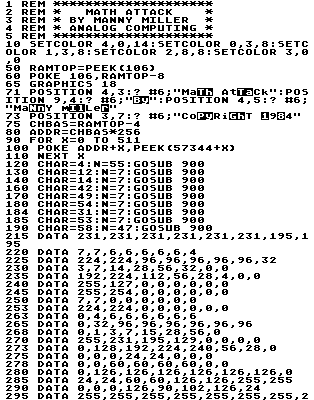
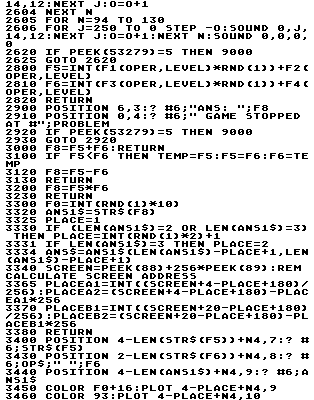
- Lines 10 - 73 -- Set up title page.
- Lines 75 - 295 -- Set up font.
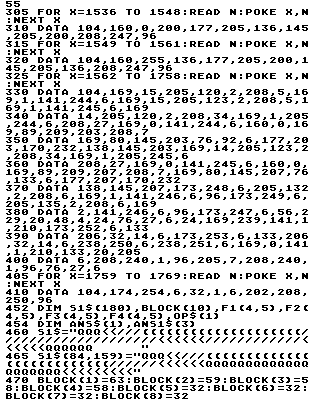
- Lines 305 - 410 -- Read in m/l routine.
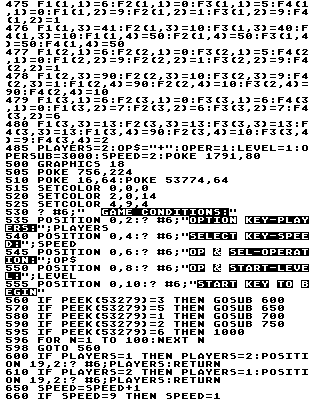
- Lines 452 - 585 -- Initialize variables.
- Lines 500 - 780 -- Game conditions display and subroutines to change game conditions.
- Lines 900 - 950 -- Subroutine to set up font.
- Lines 1000 - 1990 -- Set up P/M graphics, certain game parameters for speed and perform certain factors for a one- or two-player game.
- Lines 2000 - 2085 -- Main control for two players.
- Lines 2100 - 2185 -- Control when only left player remaining or for a one-player game.
- Lines 2200 - 2285 -- Control for only right player in game.
- Lines 2500 - 2625 -- Print message at end of successful game.
- Lines 2800 - 2820 -- Subroutine to choose factor for generating numbers.
- Lines 2900 - 2930 -- Message displayed if maximum problems are not obtained.
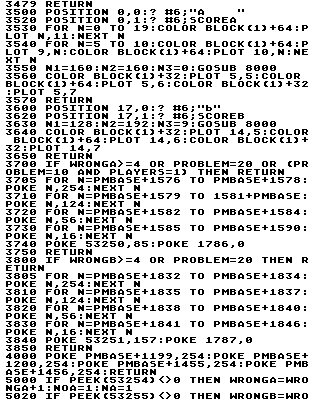
- Lines 3000 - 3049 -- Subroutines to generatethe randomly generated problems and draw them to the screen.
- Lines 3500 - 3650 -- Subroutines to set up screen display.
- Lines 3700 - 3750 -- Subroutine to draw probe A (missile player 0).
- Lines 3800 - 3850 -- Subroutine to draw probe B (missile player 1).
- Line 4000 -- Set up players 2 and 3 (lines for problems).
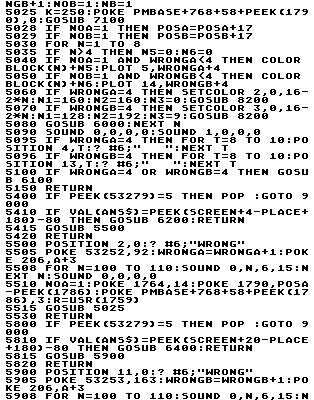
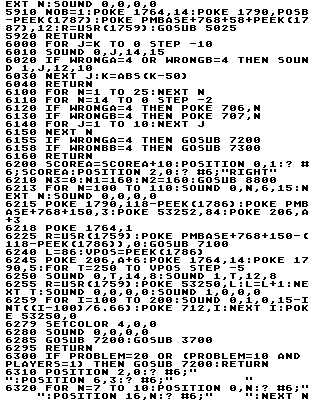
- Lines 5000 - 6160 -- Subroutines and program sections for evaluating, answer, choosing wrong answer, time expiring or going back to game display.
- Lines 6200 - 6495 -- Subroutines for choosing right answer.
- Lines 7000 - 7300 -- Subroutines to zero parts of P/M area.
- Lines 8000 - 8930 -- Subroutines to draw various positions of graphics men.
- Line 9000 -- Subroutine to return to game conditions display.
- Lines 9120 - 9500 -- Zero P/M parameters.
Archiver's Note: I believe Line 6158 has a typo. It references the variable WRONBB, which should be WRONGB instead.
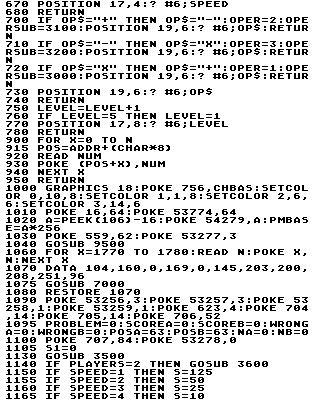
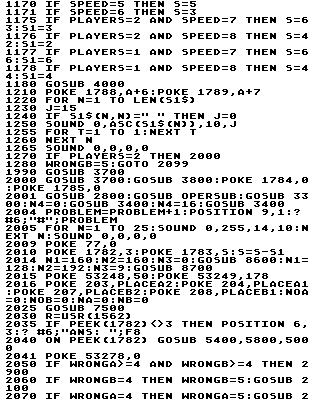
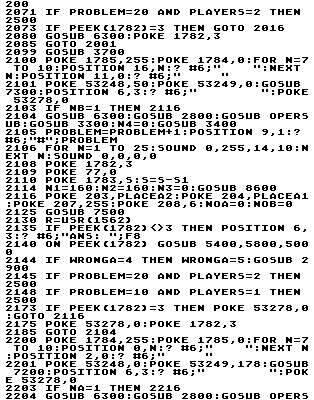
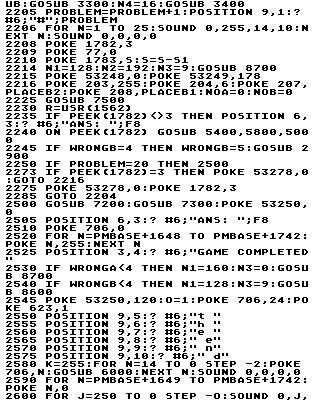
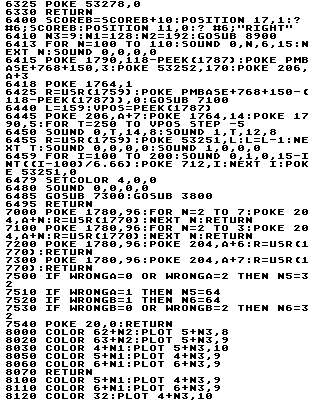
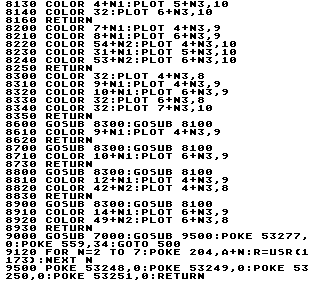
1 DATA 554,76,282,501,562,89,880,675,3
7,582,943,479,276,121,724,6781
110 DATA 761,499,512,521,527,551,541,5
32,543,341,541,807,958,328,513,8475
240 DATA 308,313,746,301,807,669,82,48
2,3,861,354,994,49,489,626,7084
305 DATA 776,48,778,179,783,836,875,24
3,63,796,897,574,304,803,668,8623
452 DATA 829,974,930,813,42,707,782,72
5,385,754,350,405,106,255,639,8696
515 DATA 445,709,482,669,580,218,986,5
69,802,328,347,329,345,758,550,8117
598 DATA 752,82,85,373,704,864,615,918
,57,5,244,605,395,742,916,7357
780 DATA 617,363,830,855,717,786,612,8
87,449,584,389,942,176,126,943,9276
1080 DATA 184,152,462,384,217,938,242,
290,452,451,451,196,197,622,617,5855
1177 DATA 635,626,934,784,56,197,193,3
64,182,511,220,444,5,972,942,7065
2001 DATA 530,3,25,705,279,985,989,70,
950,227,939,507,4,133,270,6616
2070 DATA 267,324,140,367,722,965,24,4
89,905,821,8,30,174,708,902,6846
2114 DATA 359,131,953,230,942,510,282,
332,332,699,400,735,938,835,909,8587
2204 DATA 653,11,33,177,711,905,419,70
0,81,956,233,945,513,292,767,7396
2273 DATA 704,403,739,760,103,907,305,
31,415,439,584,392,381,369,451,6983
2570 DATA 472,559,223,63,888,527,402,4
27,902,741,486,499,807,105,551,7652
2920 DATA 911,744,805,298,810,789,802,
792,925,697,681,791,178,807,200,10230
3365 DATA 287,679,800,954,945,232,511,
37,820,455,688,767,176,351,618,8320
3570 DATA 805,455,945,406,118,806,648,
325,297,921,913,674,809,830,322,9274
3810 DATA 314,937,929,880,812,868,844,
857,367,184,194,169,147,273,463,8238
5060 DATA 635,654,131,739,103,512,498,
795,986,831,965,801,911,885,140,9586
5510 DATA 395,969,805,998,979,985,813,
157,78,152,763,816,224,411,276,8821
6030 DATA 934,793,551,178,40,45,531,51
7,13,13,798,365,373,124,269,5544
6218 DATA 184,858,478,89,433,687,351,6
77,222,216,814,371,995,139,27,6541
6330 DATA 801,375,415,130,599,190,865,
301,98,439,698,360,683,228,225,6407
6495 DATA 820,961,960,141,145,972,487,
492,982,75,672,678,743,501,507,9136
8070 DATA 800,499,505,184,746,192,802,
504,510,500,494,506,804,368,510,7924
8320 DATA 677,377,201,807,226,519,813,
229,688,817,232,689,693,820,235,8023
8910 DATA 702,716,823,361,473,857,3932
Digitized by Eric Petrich for CyberRoach’s Digital A.N.A.L.O.G. Archive; restored here with permission.