
Things In The Dark
Scott Baker
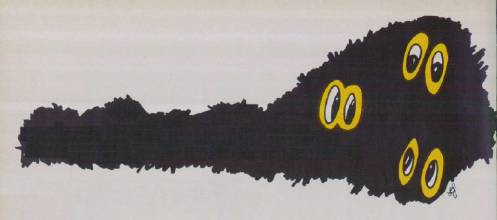
Can you wrest control of the Dark World from the norfs by capturing snakes, dinits, blockheads, and pink graps? "Things In The Dark" is populated by a myriad of strange creatures and is paced for youngsters. Originally written for the Atari (16K RAM with tape, 32K RAM for disk), we've added versions for the Commodore 64; unexpanded VIC-20; Apple (at least 48K RAM); TI-99/4A; IBM PC (at least 64K RAM and color/graphics adapter); and PCjr. The Atari and Commodore versions require a joystick.
You are in a strange Dark World populated by bizarre creatures. Your job is to keep this world free of gremlins, dinits, blockheads, snakes, and pink graps. To accomplish this, you move your robot over these creatures. If you score 2500 points you are rewarded with another robot (except in the TI version).
Your adversaries in the Dark World are the terrible norfs, who can appear anywhere on the screen. They won't attack you directly, but if you bump into one, your robot and the norf will be zapped out of existence. As more and more norfs fill the screen, it becomes increasingly difficult to maneuver. Eventually, you may have to sacrifice a robot to escape from a ring of evil norfs, creatures whose rapacity cannot be overemphasized.
Avoiding Turncoat Graps
All versions of "Things In The Dark" have their own instruction screens explaining the particular details of each program. But they share the same basic features. Each version has six levels of difficulty. The game automatically advances to higher levels at 5000-point intervals unless you select the No Advance option (which allows you to play the entire game at the same level). The robot in play always appears first at the center of the screen. A spare robot appears in the upper right corner of the screen, ready to jump into action should your current robot be done in by a norf.
Your score is recorded in the upper-left corner of the screen. Above the score is the grap count, which tells you how much time is left before a grap changes color. This is important because you gain points by running over a normal-colored grap, but you'll be destroyed by touching one that has changed color. (Grap colors vary in the different programs; also, the grap turns upside-down instead of changing colors in the Apple version.) The game's present level of difficulty is also displayed on the screen, along with the number of turns you have left. If the turn counter reaches zero, the game ends.
In the IBM, TI, and Apple versions, your robot moves continuously. Use the cursor keys to control direction in the IBM and TI versions; use I-J-K-L in the Apple version.
You can temporarily freeze the action on the Atari, Commodore 64, and VIC-20 versions by pressing the joystick button. Continue the game by pressing the button again. On the TI version, freeze by pressing P (for Pause) and continue by pressing R (for Restart). On the IBM version, freeze by pressing Ctrl-Num Lock on the PC or Function-Q (Pause) on the PCjr; continue by pressing a cursor key. On the Apple version, freeze by pressing CTRL-S; continue by pressing CTRL-S again.
To fit Things In The Dark into an unexpanded VIC-20, the VIC version is broken into two programs. Program 3 is the loader and Program 4 is the main program. Type in and save both programs before attempting to run the game. Save Program 4 with the filename V5. (If you're using cassette, be sure to save Program 4 immediately after Program 3 on the tape, and change the 8 to a 1 in line 400 of Program 3.) Finally, run Program 3. It displays the instruction screens and automatically loads the main program from disk or tape.
Atari Version Notes
When you run Things In The Dark, the screen will blank out for 13 seconds as the program initializes. Afterward you'll see the first of three instruction screens. Press SELECT to advance to the next screen or to return to the first screen from the final screen.
Type in the level you want when the menu appears on the third instruction screen. You can also press the OPTION button to choose the No Advance option. To begin the game, press START.
On the higher levels, you have fewer turns in which to score (only ten turns in level six). Also, turns will go by rapidly, fewer creatures will be plotted, and graps will stay pink for a shorter period of time.
Toward the end of the game, it's wise to open important channels by sacrificing a robot against a norf. After all, there's no point in having extra robots if the turn counter runs out. Remember that the robot can wrap around to the other side of the screen. You can safely pass over dinits, although no points will be earned. In addition, a norf will never appear on a space occupied by a dinit.
Smart Snakes And Other Secrets
After playing Things In The Dark for a while, you may notice that the snakes never land on any green or orange creatures. Basically, the series of LOCATE statements in the snake subroutine (lines 350-434) tell the snake to check first for a space free of orange or green creatures in front of itself.
The variable D determines whether to go to the LOCATE routine from lines 380-389 or to the routine from lines 390-399. These routines move the snake right and left, respectively.
If there is a clear space in front of the snake, it moves to that space and the program returns to the main loop. If the space is occupied, the spaces below the snake and then above it are checked for a clear space. If both these spaces are occupied, the snake is stuck. The snake never reverses direction except when it reaches the left or right side of the screen.
Similar logic moves the grap, except that it avoids orange creatures and moves diagonally. DATA statement 2600 decides whether to pass control to line 560, 580, 600, or 620, where routines locate the first space to the lower right, lower left, upper left, and upper right, respectively. Also, unlike the snake, the grap only tries to move once before control returns to the main loop.
Both the snake and the grap display a simple sort of simulated intelligence, and the logic behind them may be worth using in other games.
| SNK | Number to score before a new snake appears. |
| SNKCT | Flag set to one to prevent more than one snake from being onscreen at the same time. |
| E | Column position of the leftmost bonus robot. |
| XRBT | Number to score to earn a bonus robot. |
| TRNCT | Maximum number of turns left in which you must score to prevent the game from ending. |
| MN | Flag set to one when a string of dinits is plotted, preventing green things and norfs from being plotted. |
| INCRLVL | Automatically advances game to next level of difficulty when INCRLVL is less than SCORE and OP equals zero. |
| OP | Prevents levels from advancing when set to one. |
| EDCT | Controls number of times through inner main loop before a norf, dinit, or green thing is plotted. Set equal to LVL when grap first appears. |
| LVL | Maximum number of turns in which you must score for a given level of difficulty. |
| LEVEL | Level of difficulty. |
| D | Determines the direction the snake will travel. |
| ND | Determines the direction to plot a string of dinits. |
| COL, ROW | Horizontal and vertical position of robot. |
| SNKC, SNKR | Horizontal and vertical position of snake. |
| GRPC, GRPR | Horizontal and vertical position of grap. |
Program 1: Things In The Dark For Atari
Refer to "COMPUTE!'s Guide To Typing in Programs" before entering this listing.
DA 5 GOTO 2000
PH 10 GRAPHICS 17: POKE 756, B; POKE 710, 152: OPKE 708, 38
CH 20 COL=9: ROW=11: COLOR 162: PLOT COL, ROW: SOUND 0, 190, 10, 10
MA 50 SCORE=0: SNK=1000: SNKCT=0: E=20: XRBT=2500: TRNCT=LVL: MN=0: INCRLVL=5000
IJ 60 SOUND 0, 0, 0, 0: GOSUB 723
JA 70 POSITION 0, 1: ? #6; "5: 0 (5 SPACES) L: ";LEVEL;:? #6;" T: "; TRNCT
PO 80 POSITION 0, 0: ? #6; "GC:"
AN 99 REM 100-190 MAIN LOOP
CL 100 EDCT=5: GOTO 500
NM 120 FOR CT=EDCT TO 1 STEP -1
AD 125 IF EDCT>5 THEN GOSUB 550
KE 130 W=0: GOSUB 200
JH 135 IF STRIG(0)=0 THEN 2700
EC 140 IF TRNCT=9 THEN COLOR 0:PLOT 1B, 1
AD 145 POSITION 17,1:? #6; TRNCT: TRNCT=TRNCT-1:IF TRNCT=-1 THEN 900
LE 150 IF EDCT=5 AND SCORE>=SNK THEN GOSUB 350
BE 160 NEXT CT:IF EDCT>5 THEN GOSUB 750
AD 168 IF MN=1 THEN 445
NN 170 V=INT(20*RND(1)):H=INT(22*RND(1))+2:LOCATE V,H,P
NF 180 IF P=162 OR P>133 AND P<137 THEN 170
KG 183 IF P=35 OR P=170 THEN 100
JM 185 R=INT((10*LEVEL)*RND(1)):IF R=0 THEN 440
MI 190 COLOR 35:PLOT V,H:GOTO 100
EE 199 REM MOVE ROBOT
MP 200 ST=STICK(0):IF W=LVL THEN RETURN
CO 210 IF ST=14 THEN 220
CO 211 IF ST=11 THEN 240
DD 212 IF ST=13 THEN 260
AJ 213 IF ST=7 THEN 280
OE 215 W=W+1:GOTO 200
LO 220 COLOR 0:PLOT COL,ROW
FJ 225 IF ROW=2 THEN ROW=24
GN 230 ROW=ROW-1:GOSUB 300
HK 235 RETURN
MA 240 COLOR 0:PLOT COL,ROW
CB 245 IF COL=0 THE COL=20
DL 250 COL=COL-1:GOSUB 300
HM 255 RETURN
MC 260 COLOR 0:PLOT COL,ROW
FL 265 IF ROW=23 THEN ROW=1
GP 270 ROW=ROW+1:GOSUB 300
HO 275 RETURN
ME 280 COLOR 0:PLOT COL,ROW
FL 285 IF COL=19 THEN COL=-1
DN 290 COL=COL+1:GOSUB 300
IA 295 RETURN
AB 299 REM CHECK NEW ROBOT POS.,PLOT ROBOT & UP SCORE OR KILL ROBOT
CM 300 SOUND 0,190,10,10
NC 302 LOCATE COL,ROW,P:SOUND 0,0,0,0
HL 304 IF P=35 OR P=41 THEN 950
PO 306 IF P=4 THEN SCORE=SCORE+100:GOSUB 700:GOTO 330: REM BLOCKHEAD
GC 308 IF P=5 THEN SCORE=SCORE+10:GOSUB 700:GOTO 330:REM GREMLIN
IG 310 IF P=134 OR P=135 THEN SCORE=SCORE+200:SNK=SNK+1000:SNKCT=0:GOSUB 700:GOTO 670:REM SNAKE
CK 320 IF P=136 THEN SCORE=SCORE+400:EDCT=5:GOSUB 700:GOSUB 760:REM GRAP
ED 330 COLOR 162:PLOT COL,ROW:RETURN
AG 349 REM SNAKE SUBROUTINE
OG 350 IF SNKCT=1 THEN 375
BJ 352 SNKC=INT(2*RND(1)):SNKR=5:SNKCT=1
LJ 354 IF SNKC=1 THEN SNKC=19:D=1
KJ 356 IF SNKC=0 THEN D=0
GG 360 LOCATE SNKC,SNKR,P
EB 362 IF P=4 OR P=5 OR P=35 OR P=162 OR P=41 AND SNKR<24 THEN SNKR=SNKR+1:GOTO 360
EH 365 IF SNKR=24 THEN SNKCT=0:RETURN
JG 370 IF D=0 THEN COLOR 134:GOSUB 495:RETURN
JK 372 IF D=1 THEN COLOR 135:GOSUB 495:RETURN
VL 375 IF D=1 THEN 390
ME 380 LOCATE SNKC+1,SNKR,P
CC 382 IF P=162 THEN 485
DN 383 IF P=4 OR P=5 OR P=35 OR P=41 THEN 400
KL 385 COLOR 0:GOSUB 495
EG 387 SNKC=SNKC+1:COLOR 134:GOSUB 495
PA 388 IF SNKC=19 THEN D=1:GOTO 400
IE 389 RETURN
MH 390 LOCATE SNKC-1,SNKR,P
CD 392 IF P=162 THEN 485
DO 393 IF P=4 OR P=5 OR P=35 OR P=41 THEN 400
KM 395 COLOR 0:GOSUB 495
EK 397 SNKC=SNKC-1:COLOR 135:GOSUB 495
LG 398 IF SNKC=0 THEN D=0:GOTO 400
IF 399 RETURN
NG 400 IF SNKR=23 THEN 488
LP 402 LOCATE SNKC, SNKR+1,P
BN 404 IF P=162 THEN 485
DL 406 IF P=4 OR P=5 OR P=35 OR P=41 THEN 420
KH 408 COLOR 0:GOSUB 495
GM 410 SNKR=SNKR+1:IF D=1 THEN COLOR 135
BN 412 IF D=0 THEN COLOR 134
NF 414 GOSUB 495:RETURN
KF 420 IF SNKR=2 THEN 488
MD 422 LOCATE SNKC,SNKR-1,P
BP 424 IF P=162 THEN 485
IH 426 IF P=4 OR P=5 OR P=35 OR P=41 THEN RETURN
KJ 428 COLOR 0:GOSUB 495
HA 430 SNKR=SNKR-1:IF D=1 THEN COLOR 135
BP 432 IF D=0 THEN COLOR 134
NH 434 GOSUB 495:RETURN
HA 439 REM 440-483 DINIT SUBROUTINE
CG 440 MN=1:COLOR 170:PLOT V,H:IF V<11 THEN ND=0:GOTO 120
KA 442 ND=1:    GOTO 120
PE 445 IF ND=0  THEN 460
IM 448 IF V-1<0 THEN MN=0:GOTO 120
PF 450 LOCATE v-1,H,P
AM 453 IF P>133 AND P<137 THEN 120
PG 455 V=V-1:   GOTO 482
MA 460 IF V+1>19 THEN MN=0:GOTO 120
PH 463 LOCATE V+1,H,P
AP 465 IF P>133 AND P<137 THEN 120
OA 470 V=V+1
HN 482 IF P=35 OR R=41 OR P=162 OR R =172 THEN MN=0:GOTO 100
PN 483 COLOR 170:PLOT V,H:GOTO 100
OE 485 SCORE=SCORE+200=GOSUB 700
GF 488 COLOR 0:PLOT SNKC,SNKR
NI 490 SNK=SNK+1000:SNKCT=0:GOTO 670
EJ 495 SOUND 0,130,10,12:PLOT SNKC,SNKR
IM 498 SOUND 0,0,0,0:RETURN
GB 499 REM GREMLIN 5 BLOCKHEAD ROUTINE
LD 500 GOSUR 545
PL 504 IF P=35 OR P=170 OR P=162 OR P=134 OR P=135 THEN 500
LK 510 SOUND 0,100,10,11:COLOR 5:PLOT V1,H1
FJ 520 J=INT((LEVEL+1)*RND(1)):SOUND 0,0,0,0:IF J>0 THEN 120
LI 523 GOSUB 545
PO 527 IF P=35 OR P=170 OR P=162 OR P=134 OR P=135 THEN 120
GC 530 SOUND 0,193,10,12:COLOR 4:PLOT V1,H1:FOR W=0 TO 5:NEXT w:SOUND 0,0,0,0:GOTO 122
AN 545 V1=INT(20*RND(1)):H1=INT(22*R ND(1))+2
BL 548 LOCATE V1,H1,P:RETURN
MA 549 REM GRAP SUBROUTINE
PP 550 POSITION 4,0:? #6;CT:N=0:IF C T=9 THEN COLOR 0:PLOT 5,0
MP 555 READ I=1F 1=99 THEN RESTORE 2 600:READ 1
CD 557 GOTO
IK 560 IF GRPR=23 OR GRPC=19 THEN RETURN
BN 563 LOCATE GRPC+1,GRPR+1,P
MF 564 IF P=35 OR P=41 THEN RETURN
LM 565 GOSUB 660
FD 568 COLOR 0:PLOT GRPC,GRPR
ON 570 GRRR=GRPR+1=GRPC=GRPC+1=GOTO 695
FC 580 IF GRPR=23 OR GRPC=0 THEN RETURN
PB 583 LOCATE GRPC-1,GRPR+1,P
MH 584 IF P=35 OR P=41 THEN RETURN
LO 585 GOSUB 660
GA 588 COLOR 0=PLOT GRPC,GRPR
PB 590 GRPR=GRPR+1:GRPC=GRPC-1:GOTO 695
BI 600 IF GRPR=2 OR GRPC=0 THEN RETURN
BM 603 LOCATE GRPC-1,GRPR-1,P
MA 604 IF P=35 OR P=41 THEN RETURN
LM 605 GOSUB 660
FJ 608 COLOR 0:PLOT GRPC,GRPR
OM 610 GRPR=GRPR-1:GRPC=GRPC-1:GOTO 695.
FE 620 IF GRPR=2 OR GRPC=19 THEN RETURN
BM 623 LOCATE GRPC+1,GRPR-1,P
MC 624 IF P=35 OR P=41 THEN RETURN
LJ 625 GOSUB 660
FL 628 COLOR 0:PLOT GRPC,GRPR
OM 630 GRPR=GRPR-1:GRPC=GRPC+1:GOTO 695
0D 660 COLOR 0:PLOT GRPC,GRPR:IF P=1 62 THEN SCORE=SCORE+400:EDCT= 5:GOSUB 700:GOSUB 760:GOTD 120
IB 665 RETURN
PN 670 GRPC=INT(20*RND(1)):GRPR=22:E DCT=LVL:CT=EDCT
CE 675 LOCATE GRPC,GRPR,P:IF P=162 THEN 670
FH 680 COLOR 162:PLOT COL,ROW:RESTOR E 2600
KE 695 SOUND 3,INT(150*RND(1))+25,10 ,10:SOUND 3,0,0,0
0G 698 COLOR 136:PLOT BRPC,GRPR:RETURN
JI 699 REM SCORE & LEVEL ADVANCE
KH 700 SOUND 0,65,10,8:POSITION 3,1:? #6;SCORE:SOUND 0,0,0,0
GO 701 IF OP=1 OR SCORE<INCRLVL THEN 710
NO 703 IF LVL>10 THEN LEVEL=LEVEL+1:LVL=LVL-10:INCRLVL=INCRLVL+5000:POSITION 12,1:? #6;LEVEL
CE 704 FOR W=80 TO 0 STEP -W/10:SOUND 0,W,10,10:POKE 712,2*W:FOR W1=0 TO W:NEXT W1
JJ 706 SOUND 0,0,0,0:POKE 712,0:NEXT W
CC 710 TRNCT=LVL:POSITION 17,1:? #6; TRNCT:IF SCORE>=XRBT THEN 720
HN 715 RETURN
LF 719 REM EARN EXTRA ROBOT
EJ 720 XRBT=XRBT+2500
GL 723 SOUND 2,243,10,12: POKE 77,0
CM 725 E=E-1:1F E=6 THEN E=7
MM 730 COLOR 162:PLOT E,0
BF 740 FOR W=0 TO 9:NEXT W:SOUND 2,0,0,0:RETURN
FI 750 EDCT=5:COLOR 41:PLOT GRPC,GRP R
EL 760 CT=0:POSITION 4,0:? #6;"  ":RETURN
AA 800 POKE 708, 30; COLOR 0: PLOT E,0
GH 810 E=E+1:PLOT COL, ROW: COLOR 162: COL=9:ROW=11:PLOT COL, ROW:GOT O 100
JG 900 POSITION 0,10:? #6; "LEVEL ";LEVEL;" YOU FAILED TO SCORE IN ";LVL;" TURNS": GOTO 1000
IC 950 SOUND 0,255,8,12;POKE 708,104:IF EDCT>5 THEN GOSUB 750
JH 960 FOR W=0 TO 50; NEXT W:SOUND 0,0,0,0:IF E>20 THEN 800
IH 1000 FOR W=1 TO 100 STEP 5: SOUND 0,W,10,10:NEXT W:SOUND 0,0,0,0:POSITION 6,4:? 6'" the end "
PK 1010 OPEN #2,4,0,"K:"
BL 1025 POSITION 1,16:? #6; "PRESS: (33 SPACES)select instructionsstart(3 SPACES)begin game "
BJ 1030 IF OP=0 THEN POSITION 0.20:? #6;"option advance (5 SPACES) level every 5000 pts":GOTO 1045
PA 1040 POSITION 0,22:? #6;" option no advance level every 5000 pts"
FA 1045 POSITION 0,22:? #6;"(20 SPACES)"
DE 1050 POSITION 0,23:? #6;"choose level ";CHR$(17);CHR$(13);CHR$(22);CHR$(26);" ";LEVEL
CA 1060 IF PEEK(764)<255 THEN GET #2,K: IF K>ASC("0") AND K<ASC("7") THEN LEVEL=K-48:LVL=70-(LEVEL$10)
HF 1070 IF PEEK(53279)<>3 THEN 1100
HI 1080 IF OP=0 THEN OP=1:GOTO 1040
HI 1090 IF OP=1 THEN OP=1:GOTO 1030
HD 1100 IF PEEK(53279)=6 THEN CLOSE #2:GOTO 2100
BO 1110 IF PEEK(53279)=6 THEN CLOSE #2:GOTO 10
MB 1120 GOTO 1030
KA 1999 REM STEAL & MODIFY CHARACTER SET
JD 2000 POKE 559,0:DIM S$(1024)
DN 2010 A=ADR(S$):B=INT(A/512+1)$2:CBASE=B$256-A+1
JL 2020 FOR I=0 TO 511
PI 2040 S$(CBASE+I,CBASE+I)=CHR$(PEEK(I+57322)):NEXT I:H=16:V=23
IO 2060 FOR CT=0 TO B
HH 2070 FOR I=H TO V
KH 2080 READ W;S$(CBASE+I,CBASE+I)=CHR$(W):NEXT I:V=V++8:H=H+8
IM 4090 NEXT CT:LVL=60:LEVEL=1
PB 2100 GRAPHICS 17:POKE 756,B:POKE 710,152: POKE 708,38:? #6;" things in the dark "
KD 2110 ? #6;" LAND THE ROBOT "; CHR$(162);" ON"
HH 2120 ? #6;"GREMLINS...";CHR$(5);" 10 PTS":? #6;"BLOCKHEADS.";CHR$(4);" 100 PTS"
BE 2130 ? #6;"SNAKES.....";CHR$(134);" 200 PTS":? #6;"PINK GRAPS.";CHR$(136);"400 PTS"
JB 2140 ? #6;" AVOID THE NORFS ";CHR$(25);" BOTH THE ROBOT AND THE NORF VANISH WHEN THEY TOUCH."
LO 2150 ? #6:? #6;" TOUCHING AN ORANGE GRAP ";CHR$(41);" IS LIKE (6 SPACES)TOUCHING A NORF."
HJ 2160 ? #6:? #6:? #6;:(4 SPACES)press select(8SPACES)to continue"
IB 2170 IF PEEK(53279)<>5 THEN 2170
DK 2200 POSITION 0,0:? #6;"(CLEAR) THE ROBOT ";CHR$(162);" GRAP ";CHR$(136);" AND SNAKE ";CHR$(143);" CAN"
NO 2210 ? #6;"LAND ON A DINIT ":CHR$(170);"(3 SPACES)BUT A GREMLIN ";CHR$(5);"(5 SPACES)BLOCKHEAD ";CHR$(4):" OR"
JA 2220 ? #6;"NORF ";CHR$(35);" CANNOT.":? #6:? #6;" number of turns T: in which to score(3 SPACES)per level L:"
PH 2230 ? #6;"------":? #6? #6;"L: T:":? #6:? #6;"1 60 YOU MUST(5 SPACES)2 50 SCORE BEFORE"
EJ 2240 ? #6;"3 40 TURN T:":? #6;" 4 30 REACHS 0."
FP 2250 ? #6;"5 20":? #6;"6 10"
HN 2290 ? #6:? #6:? #6;"(4 SPACES)press select(8 SPACES)to continue"
JB 2295 IF PEEK(53279)<>5 THEN 2295
BN 2300 POSITION 0,0:? #6;"(CLEAR) GRAPS REMAIN PINK ";CHR$(136);"UNTIL THE GRAP COUNTGC: REACHS 0."
KJ 2310 ? #6:? #6:" YOU EARN 1 CHANCE AT A SNAKE ";CHR$(134);" EVERY 1000 PTS, AND AT A"
NA 2320 ? #6;"GRAP ";CHR$(136);" EVERY SNAKE ";CHR$(134)
KH 2330 ? #6;" YOU EARN 1 ROBOT ";CHR$(162);" EVERY 2500 PTS.":? #6
NK 2340 ? #6;" PRESS THE TRIGGER TO STOP OR CONTINUE A GAME."
MB 2400 GOTO 1010
OC 2500 REM DATA FOR ROBOT,NORM,BLOCKHEAD,GREMLIN,SNAKE(R),SNAKE(L),GRAP(162),GRAP(41),DINIT
IC 2510 DATA 24,36,24,126,90,90,24,60
IC 2520 DATA 126,153,255,195,90,126,36,102
BH 2530 DATA 126,90,126,255,24,60,36,102
LO 2540 DATA 24,36,24,60,126,60,66,195
NP 2550 DATA 0,0,12,190,245,67,0,0
BG 2560 DATA 0.0.48,121,175,194,0,0
PB 2570 DATA 66,126,90,60,231,129,19,5,0
PC 2580 DATA 66,126,90,60,231,129,19,5,0
GA 2590 DATA 65,93,42,28,42,73,20,54
FD 2599 REM DATA FOR GRAP MOVEMENT
DG 2600 DATA 600,620,580,600,620,600,620,580,560,580,600,620,560,620,600,580,600,620,620,600,620,600,99
MH 2700 IF STRIG(0)=0 THEN 2700
NC 2705 IF STRIG(0)=1 THEN 2705
JE 2710 IF STR1G(0)=0 THEN 140